
About This Game
Paper Doll Diary: Dress Up DIY
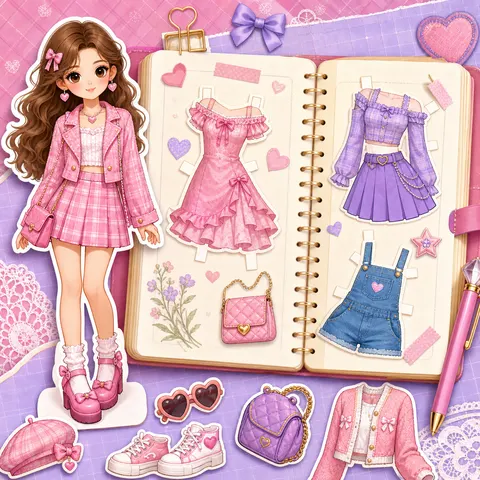
Paper Doll Diary: Dress Up DIY turns wardrobe selection into a sequence of illustrated diary moments. You choose a paper-doll character, open the diary pages and build an outfit for the scene in front of you. Clothing, hair, makeup and accessories work together, so the finished look is more than a single dress selected from a menu.
The game is a good fit for players who enjoy comparing combinations and seeing a character change from one page to the next. A school look, a sweet pastel style and a formal outfit each ask for different choices. The diary format gives those choices a setting and a reason.
On Running Games, press Play Now to load the embed in your browser—no account required. In-game progress may reset if you reload or clear site data.
How to Play
Select the paper doll or chapter scene.
Choose the main dress, top or lower-body combination.
Add hair that frames the face and supports the outfit.
Apply makeup when the current scene exposes those controls.
Add shoes, a bag or jewellery as finishing layers.
Review the full doll before moving to the next diary moment.
Controls
- Mouse: Click or drag on desktop
- Touch: Tap on-screen buttons on phones and tablets
Objective
Paper Doll Diary: Dress Up DIY
Paper Doll Diary: Dress Up DIY turns wardrobe selection into a sequence of illustrated diary moments. Follow the per-stage win check shown in the embed HUD or quest bar—stars, timers, collections, or story beats depend on the build.
Rules & Special Mechanics
- Paper Doll Diary: Dress Up DIY
Paper Doll Diary: Dress Up DIY turns wardrobe selection into a sequence of illustrated diary moments.
- You choose a paper-doll character, open the diary pages and build an outfit for the scene in front of you.
- Objective recap: Paper Doll Diary: Dress Up DIY Paper Doll Diary: Dress Up DIY turns wardrobe selection into a sequence of illustrated diary moments. Follow the per-stage win check shown in the embed HUD or quest bar—stars, timers, collections, or story bea…
Tips & Tricks
- Step: Select the paper doll or chapter scene.
- Step: Choose the main dress, top or lower-body combination.
- Layer order: Hair and accessories often lock after shoes—build outfits from base layers up.
- Theme check: Read the stage brief or star bar before mixing unrelated aesthetics.
- Screenshot pass: Compare full-body silhouette on mobile; tiny offsets fail style gates.
Common Pitfalls
- Accessory lock-in: Equipping earrings before the dress blocks slots you needed for the finale look.
- Off-theme spam: Mixing gothic shoes on a fairytale brief costs star multipliers even when layers look cute.
- Reload regret: Outfit progress may vanish if you refresh—screenshot checkpoint looks.
FAQ
Do I need an account to play Paper Doll Diary: Dress Up DIY on Running Games? No. Click Play Now on this page to load the GameMonetize embed in your browser. Running Games does not require signup; favorites and recent games are stored locally in your browser only.
Can I play Paper Doll Diary: Dress Up DIY on a phone or tablet? This listing includes mobile in its device tags. Touch controls or on-screen buttons appear when the embed detects a small screen; layout may be easier in landscape on racing and driving games.
Does the game save my progress? Progress, coins, and unlocks are handled inside the embedded build and may reset when you reload the page, clear site data, or switch browsers. Running Games does not sync in-game saves to a cloud account.
Will I see advertisements? Ads may appear during the game to help support its operation. Thanks for understanding, and have fun playing!
Play in Your Browser
On this Running Games page, press Play Now to create the game iframe. Wait until loading finishes, then click or tap inside the frame. If the embed shows a title screen or Play button, use it to start the session. You do not need a Running Games account. Progress may reset if you reload the page or clear browser data.
Ads and data
Ads may appear during the game to help support its operation. Thanks for understanding, and have fun playing! See our Privacy Policy for site-level storage and optional analytics.